Farm Branding on Social Media
Create aerial field visuals that are easy to share and remember.
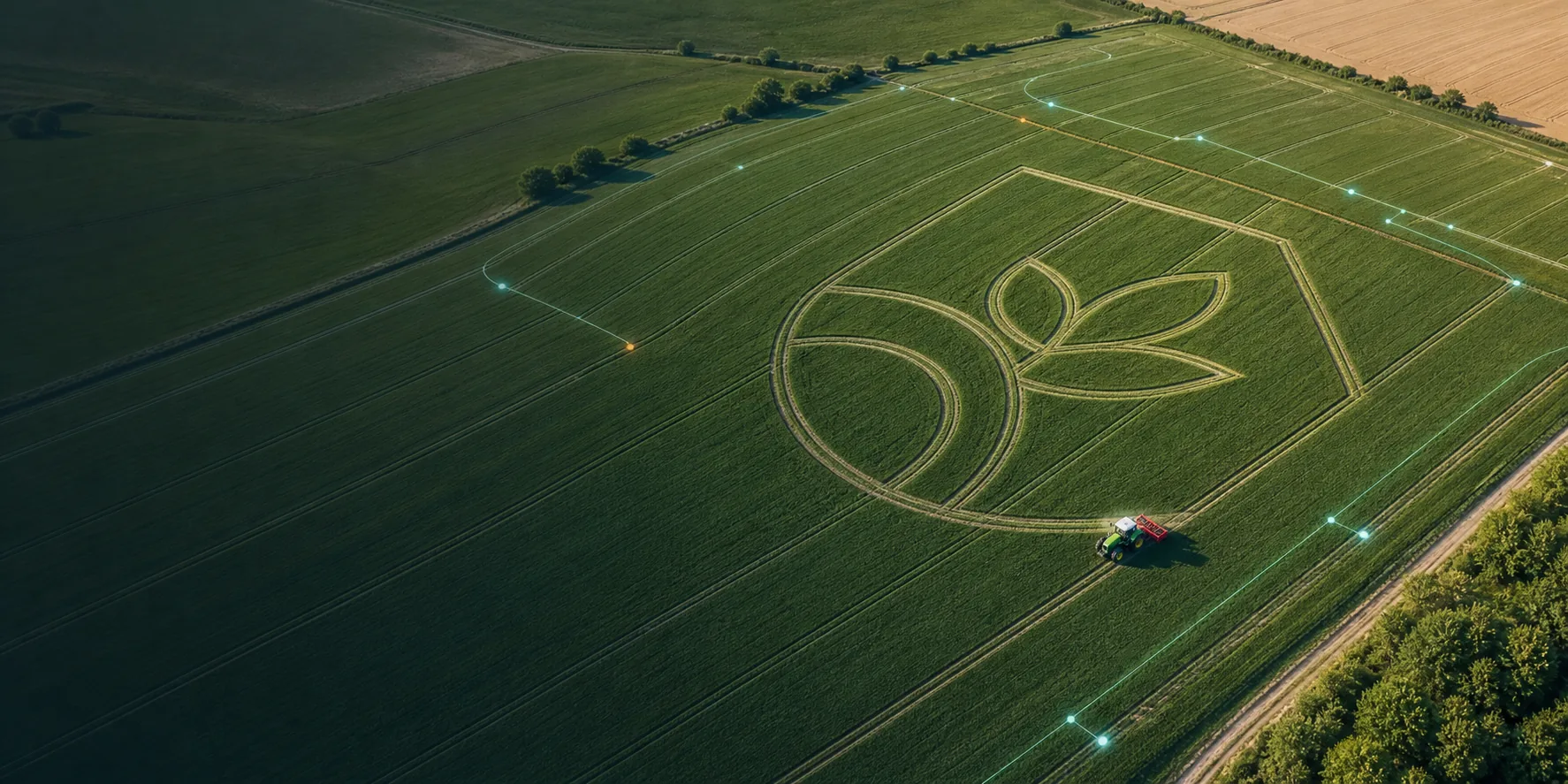
Field Art creative feature
Turn planned routes into creative field patterns, logos, text, or seasonal visuals for farm branding, exhibitions, tourism, and campaigns.
Field route artwork
Creative route pattern inside a real field boundary
01 / Overview
FieldArt uses field route planning as a visual creation tool. Patterns, text, logos, or seasonal concepts can be converted into planned routes so the field forms an aerial visual after operation.
It is not sold as a separate product. It is a creative feature in FieldFusion Pro.

02 / Value

Create aerial field visuals that are easy to share and remember.
Turn the field itself into a photo-worthy visitor experience.
Create limited-time field patterns for holidays, open days, and agri-tourism events.
03 / Methods

Change surface texture by following planned paths. Fast to create, shorter lasting.
Use different crops, densities, or varieties to form the design.
Create color differences through crop growth variation. Use carefully.
04 / Real case
This case shows how Field Art can work in a real field with the FJDynamics auto-steer system, bringing planned routes into an automated field operation workflow.
05 / Workflow
From idea to field execution, FieldFusion Pro helps turn visual design into a clear, reusable, exportable route workflow.
Upload or create text, a logo, a pattern, or a seasonal concept.
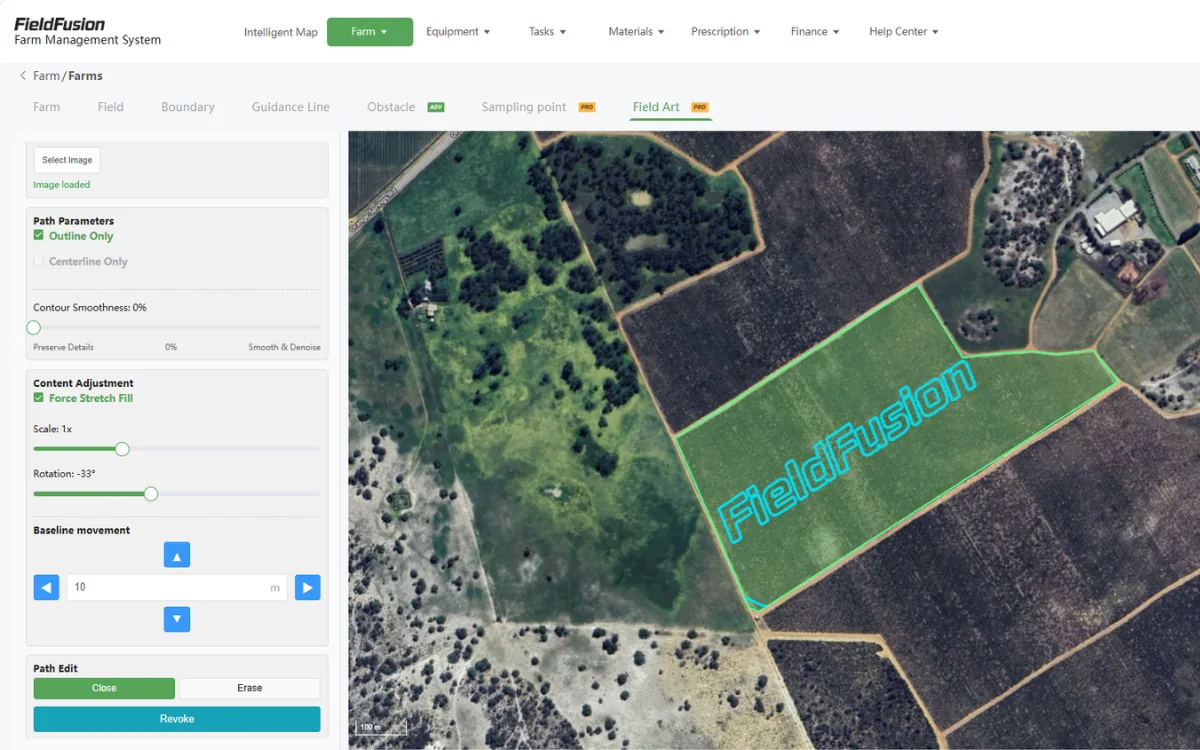
Select the real field boundary and adjust size, direction, position, and safety margins.
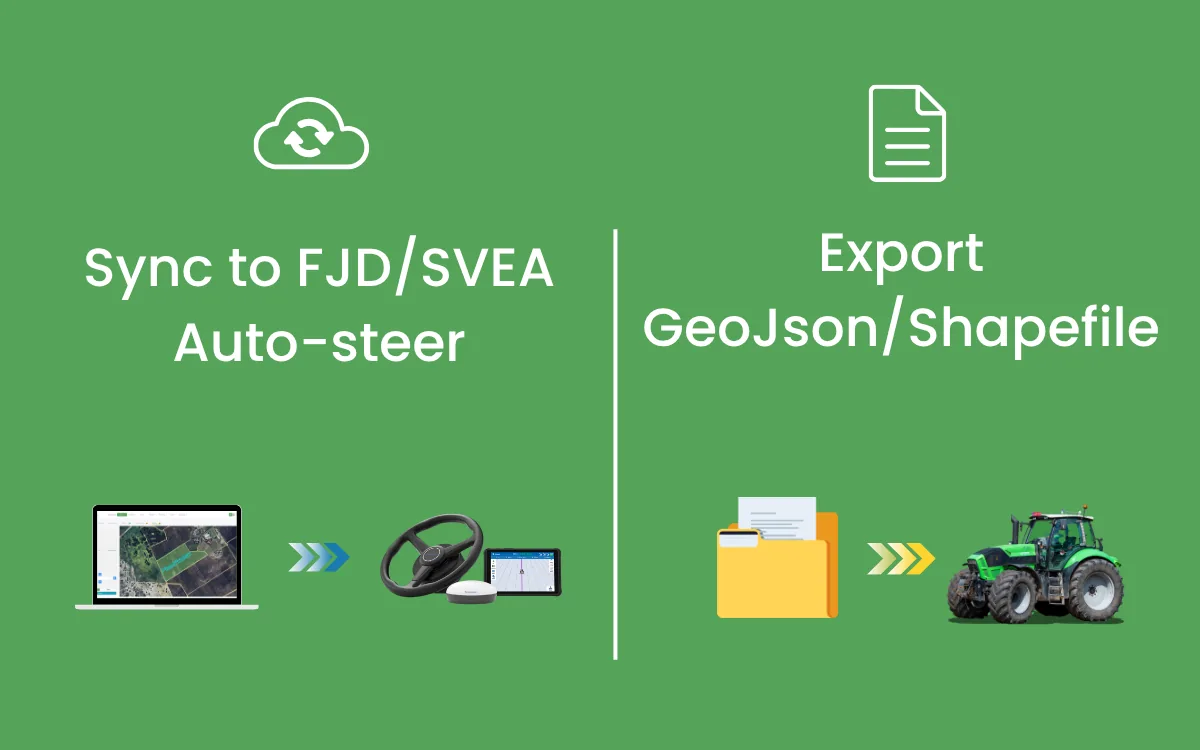
Sync to supported navigation systems or export GeoJSON / Shapefile for compatible workflows.
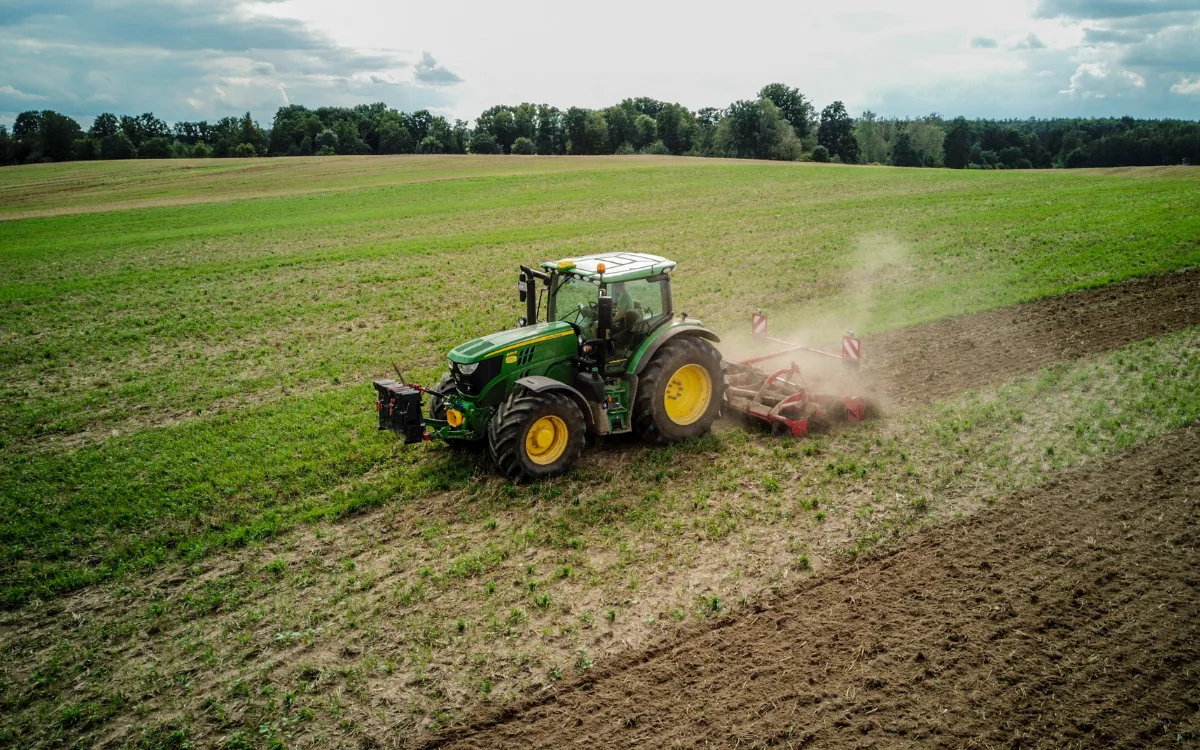
Use auto-steer or compatible equipment workflows to follow the planned route.
06 / Operation video
See how to turn a design concept into Field Art route planning in FieldFusion.
07 / Equipment
Fully automatic sync is supported with FJDynamics and SVEA navigation systems, reducing manual file transfer.
Export GeoJSON and Shapefile for GIS tools, dealer service workflows, and third-party platforms.
Standard files and compatible workflows help Field Art adapt to most mainstream equipment brands.
08 / Start fast
Register your account, create your organization, receive PRO access, and complete the survey to extend the trial.
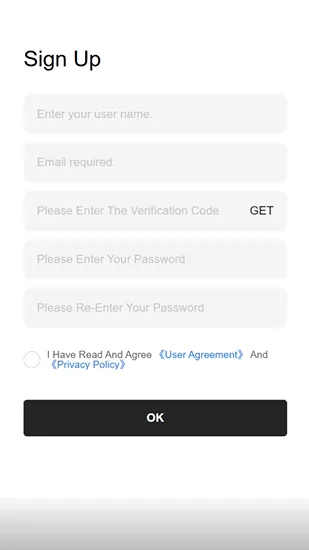
Create your FieldFusion account with your email address.
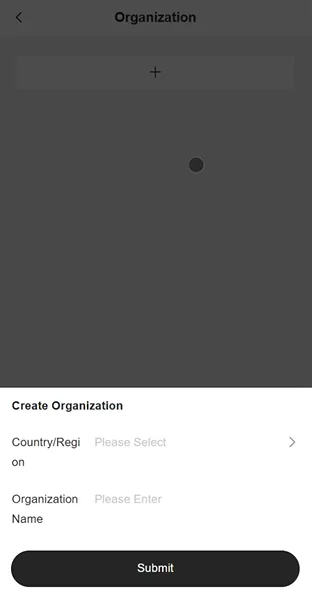
Set up a workspace for fields, clients, and team members.
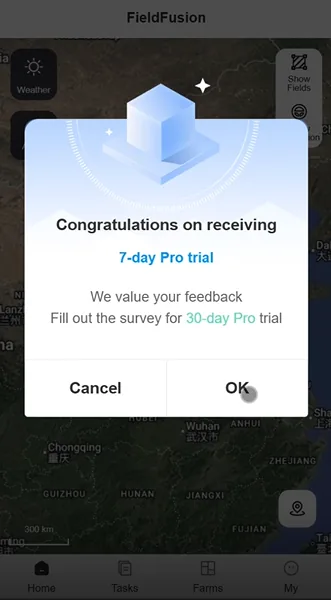
Your account receives 7 days of FieldFusion PRO access.
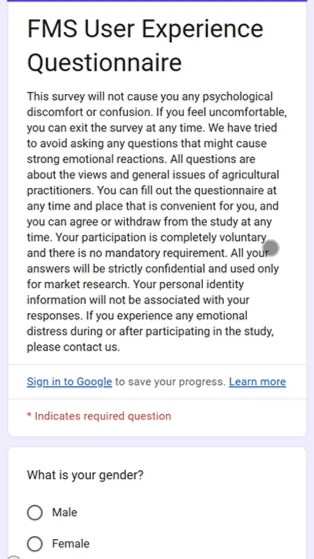
Answer the questionnaire to receive 30 more days of PRO access.
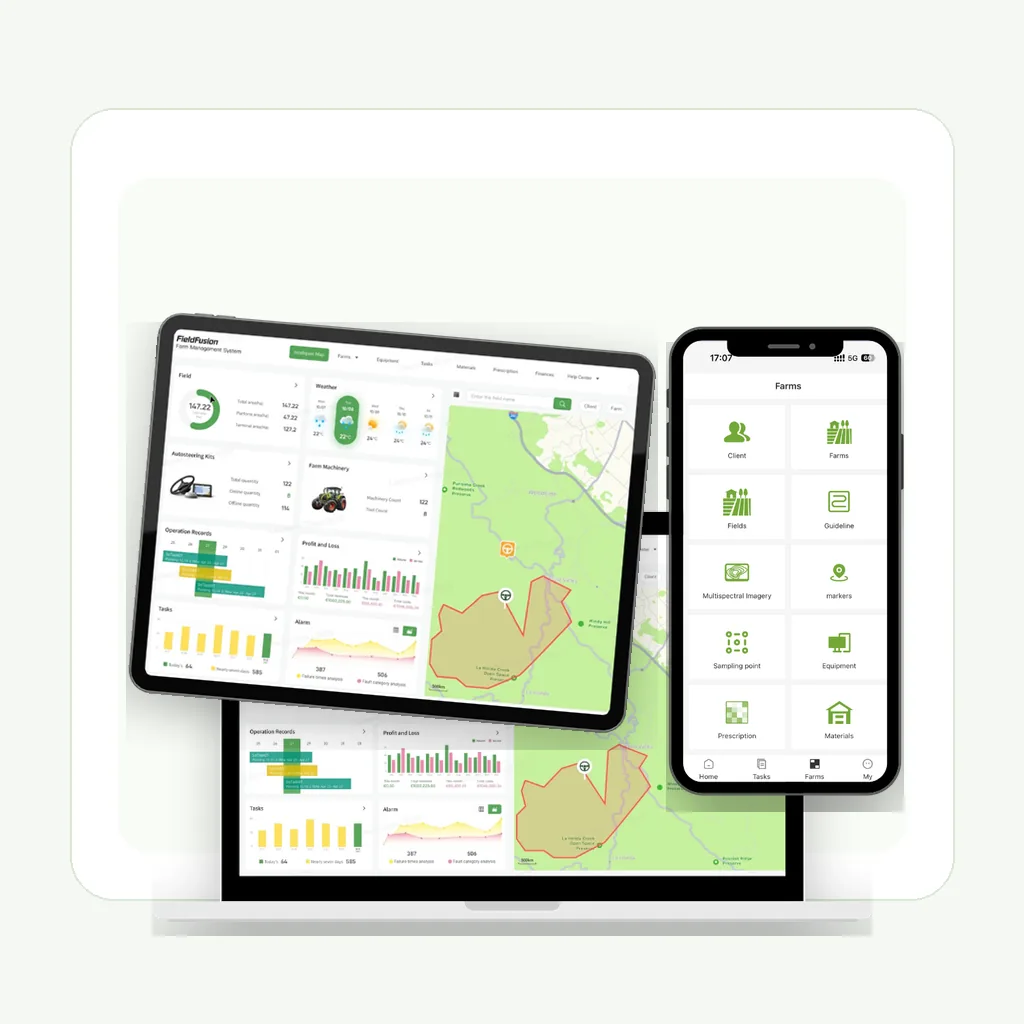
Begin exploring field and Field Art workflows on web or mobile.
09 / FieldFusion Pro
This page shows one FieldFusion Pro feature in action.
Start 7-day free trialTap the button to start the 7-day FieldFusion Pro free trial registration.
Turn text, logos, and patterns into field routes.
Plan executable routes from field parameters.
Create and export variable-rate maps.
Review crop variation from imagery.
Manage boundaries, guidance lines, and field data.
Export files for equipment and partner workflows.